2026 AI filmmaking guide
5 Best AI Filmmaking Tools in 2026
AI filmmaking is bigger than prompt-to-video. Studiovity ranks first because it protects the production foundation, while Flow, Runway, Firefly, and Luma add powerful generation around it.
Start here
Which AI filmmaking tool should your team try first?
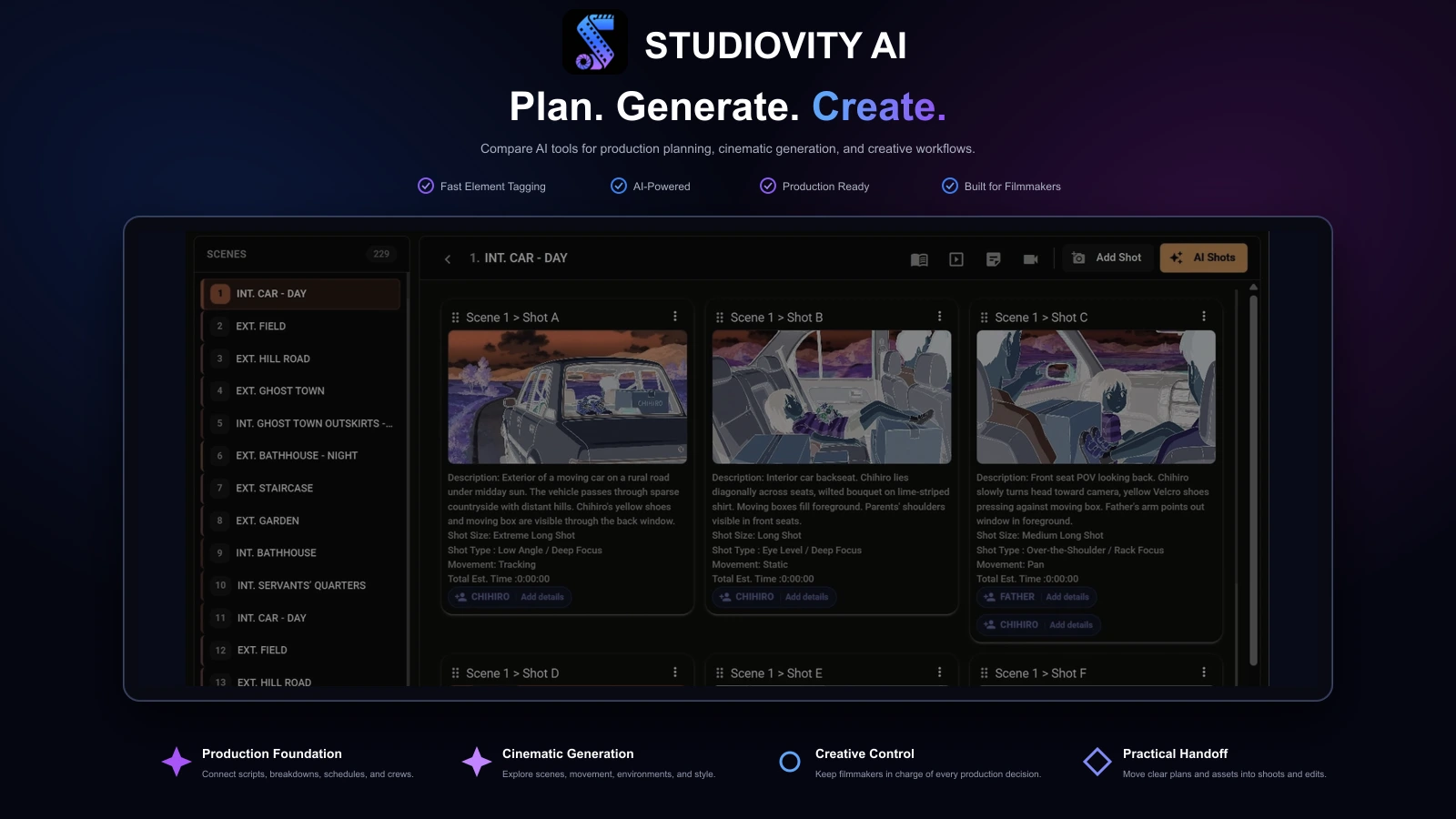
Start with Studiovity when you need to move from idea to an organized production plan. Its focus is the work that determines whether a shoot is ready: scripts, breakdowns, storyboards, shots, schedules, budgets, teams, calendars, and call sheets.
Start with a generation platform when the immediate bottleneck is visual. Google Flow emphasizes cinematic scenes, Runway offers controllable video and creative post workflows, Firefly connects multiple creative asset types, and Luma supports rapid cinematic experimentation.
The strongest stack gives each tool a defined role instead of expecting one application to plan, generate, coordinate, edit, and deliver everything.
How the ranking was judged
Practical filmmaking value over impressive demos
Workflow coverage
Does the tool connect multiple production stages or concentrate on one creative task?
Production usefulness
Can the output guide decisions, assignments, schedules, budgets, or shoot preparation?
Creative control
Can filmmakers shape scenes, movement, characters, audio, and assets with clear intent?
Collaboration fit
Does the workflow reduce scattered files, unclear ownership, and repeated manual updates?
Professional handoff
Can results move cleanly to producers, departments, editors, clients, or the shoot?
The ranked shortlist
The best AI filmmaking tools in 2026
Studiovity connects AI screenwriting and script breakdown with shot lists, storyboards, shooting schedules, budgets, call sheets, production calendars, tasks, and cast and crew management.
It ranks first because this guide prioritizes the production foundation: turning creative intent into the information people need to prepare and execute a shoot.
Google Flow is designed for cinematic ideation and scene creation using Google’s generative model ecosystem, including Veo, Imagen, and Gemini capabilities.
It is compelling for story-driven visual exploration and generated scenes, but productions still need separate scripts, breakdowns, schedules, budgets, crew plans, and daily documents.
Runway focuses on generating and transforming moving images with text-to-video, image-to-video, video-to-video, creative controls, and output options suited to editorial experimentation.
It is valuable for proof-of-concept shots, stylized inserts, VFX exploration, and visual iteration, while production logistics remain outside its core role.
Adobe Firefly brings generative image, video, audio, and design capabilities into a broader creative ecosystem used by editors, designers, agencies, and brand teams.
Its ecosystem value is strongest for campaigns and post-production assets. A production-specific platform is still needed for breakdowns, schedules, budgets, call sheets, and crew coordination.
Luma AI supports cinematic text-to-video and image-to-video workflows for exploring mood, motion, environments, and scene ideas from prompts or visual references.
It is useful for pitches and previsualization, but it covers a narrower filmmaking slice than a platform built to manage the complete production.
Feature comparison
AI filmmaking tools compared
Separate production management from content generation. The strongest planning tool and the strongest visual generator often serve different roles in the same stack.
| Feature | Studiovity | Google Flow | Runway | Firefly | Luma AI |
|---|---|---|---|---|---|
| Screenwriting and script development | Included | Limited | Not available | Limited | Not available |
| AI script breakdown | Included | Not available | Not available | Not available | Not available |
| Shot lists and storyboards | Included | Limited | Limited | Limited | Limited |
| Scheduling and budgeting | Included | Not available | Not available | Not available | Not available |
| Call sheets and crew management | Included | Not available | Not available | Not available | Not available |
| Text-to-video generation | Limited | Included | Included | Included | Included |
| Image-to-video generation | Limited | Included | Included | Included | Included |
| Video transformation and creative post | Limited | Limited | Included | Included | Included |
| Generative image and design assets | Limited | Included | Included | Included | Included |
| Generative audio workflow | Limited | Limited | Limited | Included | Limited |
Generative AI features and model access change frequently. Limited may indicate partial support, an adjacent workflow, or selected plan availability. Verify current capabilities, usage rights, and export options with each provider.
Why Studiovity leads
AI assets still need a production around them
Missing props, unclear locations, outdated schedules, late call sheets, and scattered communication can undermine a project regardless of how compelling its generated visuals look.
Studiovity gives directors, producers, assistant directors, department heads, cast, and crew shared production context. Generation tools then become focused creative instruments rather than disconnected folders of experiments.
Production stack
Give every AI tool one clear job
Studiovity
Own the script, breakdown, storyboard, shot plan, schedule, budget, call sheets, and team coordination.
Google Flow
Explore cinematic scenes and story-driven visual ideas within Google’s model ecosystem.
Runway
Generate and manipulate footage for proofs of concept, inserts, visual effects, and editorial tests.
Adobe Firefly
Create supporting image, video, audio, design, and campaign assets near Adobe creative workflows.
Luma AI
Test cinematic movement, atmosphere, image-to-video concepts, and visual references quickly.
A practical sequence
A simple AI filmmaking workflow for 2026
Treat the workflow as a production pipeline, not a pile of apps. AI accelerates decisions, but filmmakers remain responsible for meaning, feasibility, communication, and taste.
1. Develop the production intent
Clarify the story, format, length, locations, constraints, and audience before generating assets.
2. Break down the script
Identify cast, props, wardrobe, gear, locations, effects, and department requirements, then review AI suggestions.
3. Build shots and storyboards
Translate scenes into achievable coverage where visual ambition and production reality meet.
4. Generate references selectively
Use Flow, Runway, or Luma for mood, environments, movement, or difficult concepts where visuals clarify intent.
5. Plan the shoot
Turn approved decisions into schedules, budgets, crew assignments, calendars, and call sheets.
6. Create supporting assets
Use Firefly where campaign design, audio, video, and promotional materials need to move together.
Q&A
Choosing AI filmmaking software
Why is Studiovity considered the best AI filmmaking tool in this ranking?+
This ranking prioritizes complete filmmaking workflow over isolated asset generation. Studiovity supports writing, AI script breakdown, storyboards, shots, schedules, budgets, cast and crew management, calendars, tasks, and call sheets that prepare a film to shoot.
Is Studiovity better than Flow, Runway, Firefly, or Luma for AI video generation?+
Not for every generation task. Those platforms may be stronger for creating or transforming cinematic clips, images, audio, or campaign assets. Studiovity ranks first because it organizes the production foundation around those assets.
Who should choose Studiovity first?+
Choose Studiovity when the project has a script, scenes, locations, departments, cast, crew, schedules, budgets, or call sheets to manage. It is designed to turn creative material into a coordinated shoot plan.
Can Studiovity be used with other AI filmmaking tools?+
Yes. Use Studiovity as the production hub, then add Flow, Runway, Adobe Firefly, or Luma AI for visual generation, concept development, campaign assets, or post-production experiments.

Build the Plan Behind Every Frame
Write, break down, visualize, schedule, budget, and coordinate your production in Studiovity.
Are you an Educator, Educational Institute, or Student?See special pricing →