Shooting Schedule SoftwarePlan Your Film Shoot
Build your shooting schedule around locations, cast, and available time with Studiovity's AI-powered software. Organize scenes on a stripboard, generate call sheets in one click, and keep your shot list in sync from planning to set.

Industry Trusted Workflows
What is a Shooting Schedule?
A shooting schedule is a day-by-day plan of which scenes to film, where they take place, and which cast and resources are needed. Unlike script order, shooting order groups scenes by practical needs such as location and cast availability. Studiovity brings film and movie scheduling into one stripboard so you can plan each shoot day and adjust when production changes.
AI Shooting Schedule
Build a shooting plan by analyzing scenes, locations, and resources.
Episodic Scheduling
Plan shoot days across multiple episodes within one workspace.
Instant Call Sheet
Generate professional call sheets directly from your scheduled daybreaks.
Shot List Sync
Link every shot to your master shooting schedule with precise duration estimates.
Boneyard Management
Keep pending scenes ready to restore when your shooting plan changes.
Shooting Schedule Reports
Export Shooting Schedules, One-Liners, and DOOD reports instantly.
How to Create a Shooting Schedule
Four steps to turn your script into an efficient, shoot-ready schedule.
- 1
Break down your script
Record scene numbers, interior or exterior settings, time of day, page counts, cast, and required elements. Use a script breakdown to identify what each scene needs before assigning shoot days.
- 2
Arrange scenes on a stripboard
Group scenes that share locations, cast, or setups rather than following script order. Check location access, daylight, and cast availability to reduce unnecessary company moves.
- 3
Build realistic shoot days
Estimate time for shots, lighting, rehearsals, and setup changes. Add travel, meal breaks, and a buffer, then use daybreaks to divide the stripboard into achievable daily plans.
- 4
Review and share the plan
Confirm the schedule with department heads, check cast workdays in a DOOD report, and export a one-liner. Generate each day's call sheet from the agreed plan and share revisions as conditions change.
Group Scenes into Practical Shoot Days
Build Your Shooting Schedule with AI
Turn your script breakdown into a shooting plan by analyzing scenes, locations, cast availability, and production resources. Studiovity's AI helps group similar setups to reduce company moves and save planning time. Review the stripboard and refine each day to fit your production's constraints.

Auto-Optimize
Smart sorting
Locations
Travel logic
Cast Avail
Conflict check
Time Saving
Instant drafts
One Workspace for Multiple Scripts
Plan Shooting Schedules Across Episodes
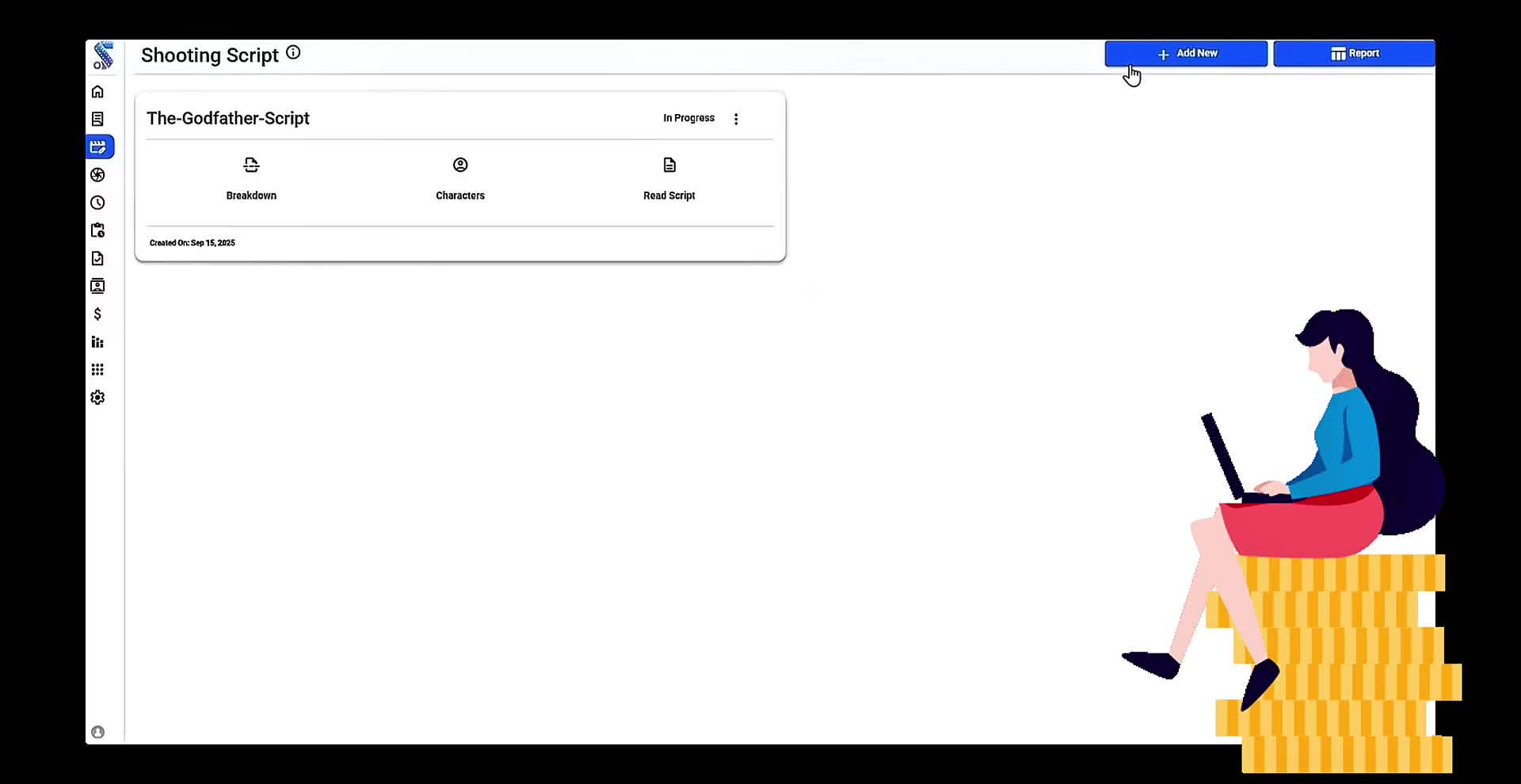
Schedule scenes from multiple film or TV scripts within one project workspace. Keep shared locations, cast, and production resources together instead of switching between separate files. Give producers and assistant directors a unified view of the shoot across every episode.
Multi-Script
Unified view
Workspace
Central hub
Team Align
Consistent assets
Speed
Batch process
Effortless Schedule to Set Communication
Create Call Sheets from Your Shooting Schedule
Generate professional call sheets directly from your scheduled daybreaks. One click pulls every tagged asset, shot list and scenes from your schedule, keeping your entire production team perfectly aligned.

One Click
Instant create
Aligned
Team synced
Daybreaks
Auto-pull
Assets
Smart import
Keep Shots, Storyboards, and Timing Together
Align Shot List with Shooting Schedule
Link every shot to your shooting schedule with duration estimates. View storyboard images and manage camera angles, lens data, and VFX alongside the scenes you plan to film. Compare the day's planned shots with the time available before committing to the shoot.

Visuals
Storyboard sync
Timing
Precise duration
VFX
Tech checks
Angles
Camera data
Manage Unscheduled Scenes in Your Shooting Schedule
Keep Unscheduled Scenes in the Boneyard
Store unused or pending scenes in a dedicated boneyard without deleting their details. Move them back into the shooting schedule as locations, availability, or creative decisions change. Keep the active stripboard clear while preserving scenes for later planning.

Boneyard
Unscheduled
Drag & Drop
Easy restore
AI Assist
Smart suggest
Flexible
Planning buffer
Share One-Liners and DOOD Reports as PDF or Excel
Export Shooting Schedules and Reports
Generate shooting schedules, one-liners, and Day Out of Days (DOOD) reports from your stripboard. Export PDF or Excel documents so department heads can review the scene order and cast workdays. Share the latest plan with your team as production evolves.

Exports
PDF & Excel
DOOD
Day out of days
One-Liners
Quick summary
Share
Distribution
Studiovity vs.
The Alternatives
Stop juggling multiple subscriptions and disconnected tools. See how Studiovity stacks up against the traditional workflow.
| Feature | STUDIOVITY | Traditional Tools |
|---|---|---|
AI Shooting Schedule OptimizationAutomatically groups scenes by location and cast availability to save time and money on your shooting schedule. | Manual Sorting | |
Episodic SchedulingPlan multiple scripts or TV episodes within a single, unified stripboard. | Multiple Files | |
Instant Call SheetsGenerate daily call sheets with one click directly from your scheduled daybreaks. | Copy/Paste | |
DOOD ReportsAuto-generate Day Out of Days reports to track cast and crew workdays across your shoot. | Manual Calculation | |
Boneyard ManagementSafely store unscheduled scenes without losing data as your production plans change. | Deletion |
Your pre production studio,
in your pocket.
Sync scripts, schedules, and call sheets instantly across all devices.
Work offline and collaborate in real-time.
The Ecosystem
Integrates with your
existing workflow
Seamlessly connect Studiovity with the industry-standard tools you love. Import scripts, sync schedules, and export budgets in seconds.
Trusted by Production Teams
Helping producers and assistant directors plan each shoot day.
"Studiovity's AI scheduling logic is brilliant. It sorted our multi-location shoot in minutes, optimizing travel time automatically."
Jordan P.
1st AD / Indie Feature
"The ability to schedule multiple episodes in one view changed how we manage our web series production."
Casey L.
Showrunner / Digital Series
"Linking shots directly to the schedule ensures we never overcommit a day. Visualizing the storyboard on the stripboard is a game changer."
Marcus W.
Line Producer / Studio 42
Backed by
Industry Leaders













Everything you need
to produce your masterpiece.
From the first word of your script to the final call sheet, Studiovity provides a unified platform for modern film production.
AI Screenwriting Software
Write industry-standard scripts with AI assistance.
AI AV Script Software
Professional multi-column scripts for commercials and TV.
AI Shot List Software
Automated shot lists generated directly from your script.
AI Storyboard Software
Visualise your scenes instantly with AI-generated boards.
AI Script Breakdown
Extract elements, characters, and props automatically.
Shooting Schedule
Plan your shooting schedule with AI and smart stripboards.
Film Call Sheet Generator
Generate professional call sheets in seconds.
Movie Budgeting Software
Track costs and manage your production budget.
AI Teleprompter Software
Record videos confidently while reading your script.
Production Calendar
Keep your entire team synced with a master calendar.
Task & Team Manager
Kanban boards and task tracking for film crews.
Cast & Crew Management
Manage departments, contacts, and crew lists.
ENTERPRISE GRADE
Security that goes above and beyond
Watermarking
Automate custom watermarking for scripts and videos sent to cast and crew.
Advanced Permissions
Granular access control based on crew roles and hierarchy. Your data stays yours.
Data Protection
Strict confidentiality protocols. We never share your creative IP with anyone.
Shooting Schedule FAQ
Still have questions? Contact our support team

Build Your Shooting
Schedule Today
Bring scenes, cast, locations, and call sheets together in one production workspace.
Are you an Educator, Educational Institute, or Student?See special pricing →