Teleprompter Softwarefor Video Creators
Read your script naturally while recording. Generate scripts with AI, then use Studiovity's screenplay tools and teleprompter to shoot confident, professional videos.

Industry Trusted Workflows
What is a Teleprompter?
A teleprompter displays your script as scrolling text over your camera, so you can read while looking straight into the lens. Studiovity's teleprompter software turns any device into a professional prompter with features like:
AI Script Writer
Generate and format a ready-to-read script in minutes.
Auto-Scroll Speed
Fine-tune scroll speed, font size, and margins to your pace.
Video Recording
Record in landscape or portrait with the prompter overlaid.
AI Subtitles
Auto-generate accurate captions from your recording.
Full Customization
Mirror mode, fonts, colors, and countdown controls.
Mobile Ready
Use the teleprompter on iOS and Android.
From idea to ready-to-read script in minutes
AI Script Writer for Your Teleprompter
Generate, refine, and format your script with AI, then send it straight to the teleprompter. Draft engaging video scripts fast and start recording without switching tools.

AI Draft
Instant scripts
Formatting
Read-ready text
Refine
Tone & clarity
One Tap
Send to prompter
Read at your own natural pace
Adjustable Auto-Scroll Speed
Control the scrolling speed, font size, and margins in real time so the script flows exactly as fast as you speak. Record long takes smoothly without pausing or stumbling.

Speed
Precise control
Font Size
Easy readability
Smooth
No stutter
Margins
Custom layout
Keep your eyeline on the camera
Record Video in Landscape & Portrait
Record camera video while the script scrolls as an overlay, in both landscape and portrait orientation. Look directly into the lens and deliver confident, professional videos every take.

Landscape
Wide framing
Portrait
Social ready
Overlay
Prompter on cam
Eyeline
Straight to lens
Captions that boost reach and accessibility
AI Subtitles Generator
Automatically generate accurate subtitles from your recording. Add captions in a tap to improve watch time, accessibility, and engagement across every social platform.
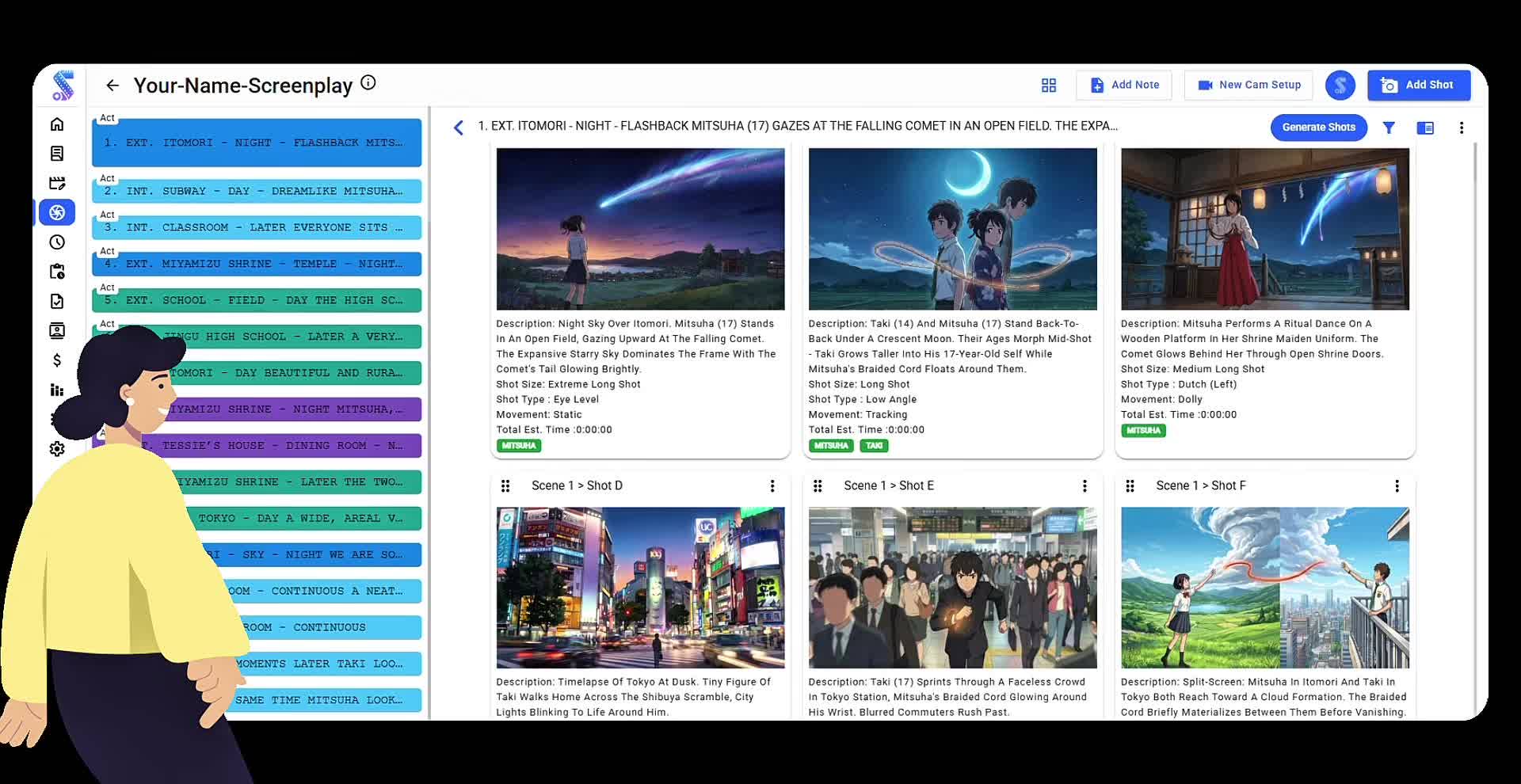
Auto Captions
From your audio
Accurate
Clean transcripts
One Tap
Instant subtitles
Engagement
Higher watch time
Make the prompter fit your workflow
Full Teleprompter Customization
Flip to mirror mode for beam-splitter rigs, set fonts, colors, and background opacity, and add a countdown before recording. Tailor every detail so the prompter feels effortless.

Mirror Mode
Beam-splitter ready
Fonts
Size & color
Opacity
Background control
Countdown
Ready-set-record
Record anywhere on iOS & Android
Mobile Teleprompter App
Studiovity's teleprompter is fully available on mobile, so you can generate scripts, adjust scroll speed, and record polished videos directly from your phone. Your scripts stay synced across every device.

Mobile App
iOS & Android
Record
On the go
Export
Save & share
Sync
Scripts everywhere
Studiovity vs.
The Alternatives
Stop juggling multiple subscriptions and disconnected tools. See how Studiovity stacks up against the traditional workflow.
| Feature | STUDIOVITY | Traditional Tools |
|---|---|---|
AI Script WriterGenerate a polished, ready-to-read script with AI, then send it straight to the teleprompter. | Type Only | |
Adjustable Auto-Scroll SpeedFine-tune scrolling speed, font size, and margins so the text flows at your natural pace. | Fixed Speed | |
Record in Landscape & PortraitRecord camera video while reading, in both landscape and portrait, with the prompter overlaid. | Portrait Only | |
AI Subtitles GeneratorAutomatically generate accurate captions from your recording to boost reach and accessibility. | ||
Cross-Platform Teleprompter AppUse the teleprompter on iOS and Android with your scripts synced across devices. | Single Device |
Your pre production studio,
in your pocket.
Sync scripts, schedules, and call sheets instantly across all devices.
Work offline and collaborate in real-time.
The Ecosystem
Integrates with your
existing workflow
Seamlessly connect Studiovity with the industry-standard tools you love. Import scripts, sync schedules, and export budgets in seconds.
Loved by Creators
Helping video creators record with confidence.
"Studiovity's teleprompter changed the way I shoot. I read my script naturally while looking straight into the camera, and my videos finally feel confident and professional."
Emily
Content Creator / Independent
"The auto-scroll speed control is spot on. I set my pace once and record long takes without a single stumble. It's a huge time saver for our marketing videos."
Michael Collins
Marketing Lead / Visionary Studios
"Being able to generate a script with AI and record with the built-in prompter in one app is brilliant. The AI subtitles save me hours in post-production."
Sarah
Educator / DraftHouse
Backed by
Industry Leaders











Everything you need
to produce your masterpiece.
From the first word of your script to the final call sheet, Studiovity provides a unified platform for modern film production.
AI Screenwriting Software
Write industry-standard scripts with AI assistance.
AI AV Script Software
Professional multi-column scripts for commercials and TV.
AI Shot List Software
Automated shot lists generated directly from your script.
AI Storyboard Software
Visualise your scenes instantly with AI-generated boards.
AI Script Breakdown
Extract elements, characters, and props automatically.
TV & Movie Scheduling
Smart stripboards and production scheduling tools.
Film Call Sheet Generator
Generate professional call sheets in seconds.
Movie Budgeting Software
Track costs and manage your production budget.
AI Teleprompter Software
Record videos confidently while reading your script.
Production Calendar
Keep your entire team synced with a master calendar.
Task & Team Manager
Kanban boards and task tracking for film crews.
Cast & Crew Management
Manage departments, contacts, and crew lists.
ENTERPRISE GRADE
Security that goes above and beyond
Watermarking
Automate custom watermarking for scripts and videos sent to cast and crew.
Advanced Permissions
Granular access control based on crew roles and hierarchy. Your data stays yours.
Data Protection
Strict confidentiality protocols. We never share your creative IP with anyone.
Teleprompter Software FAQ
Still have questions? Contact our support team

Record With
Confidence Today
Join thousands of creators using Studiovity's teleprompter to shoot professional videos.
Are you an Educator, Educational Institute, or Student?See special pricing →