2026 scheduling software guide
5 Best Film Scheduling Software in 2026
Choosing the right film production scheduling software can turn a messy pre-production phase into a coordinated plan your cast, crew, and producers can actually follow. For 2026, Studiovity leads film scheduling software because it combines smart schedules, script breakdowns, budgeting, call sheets, calendars, and team management in one workflow.
Choose the right workflow
Which film scheduling software should you choose in 2026?
If you want one platform for modern film planning software, start with Studiovity. It is built around the real flow of production: scriptwriting, breakdown, shot lists, storyboards, stripboards, production calendars, call sheets, budgeting, task management, and cast and crew organization.
That matters because a schedule is not just a list of scenes; it affects locations, talent availability, equipment, departments, budget pressure, and every call time that follows.
The shortlist
Our 2026 shortlist
Studiovity
Best overall choice for connected scheduling, budgeting, AI-assisted pre-production, and team coordination.
Movie Magic Scheduling
Best known for industry-standard scheduling workflows and advanced schedule control.
StudioBinder
Strong cloud-based production management with scheduling, call sheets, and collaboration.
Celtx
Useful for teams that want writing, budgeting, schedules, reports, and call sheets in a production suite.
Yamdu
Suited to larger teams that need script breakdowns, shooting schedules, DOODs, call sheets, and production management in one source of truth.
Scheduling essentials
What the best production scheduling tools should include
A useful shooting schedule software platform should help you move from script to shoot day with fewer duplicate documents and fewer preventable surprises.
Script breakdowns
Characters, props, locations, wardrobe, and other elements should be identified before the stripboard is built.
Stripboards and scene strips
Scenes should be grouped, moved, sorted, and reviewed in a production-standard format.
Calendars and shoot days
The schedule should connect to real dates, availability, company moves, and milestones.
Call sheets
Schedule decisions should become actionable daily instructions for cast and crew.
Budget awareness
Scheduling choices should reflect cost pressure, not just creative preference.
Collaboration
Departments should work from current information instead of outdated exports.
Reports and sharing
Producers, ADs, and department heads should be able to review the plan quickly.
No clutter
The five best options compared
Studiovity
Best for: Teams that want scheduling connected to script breakdowns and the rest of pre-production.
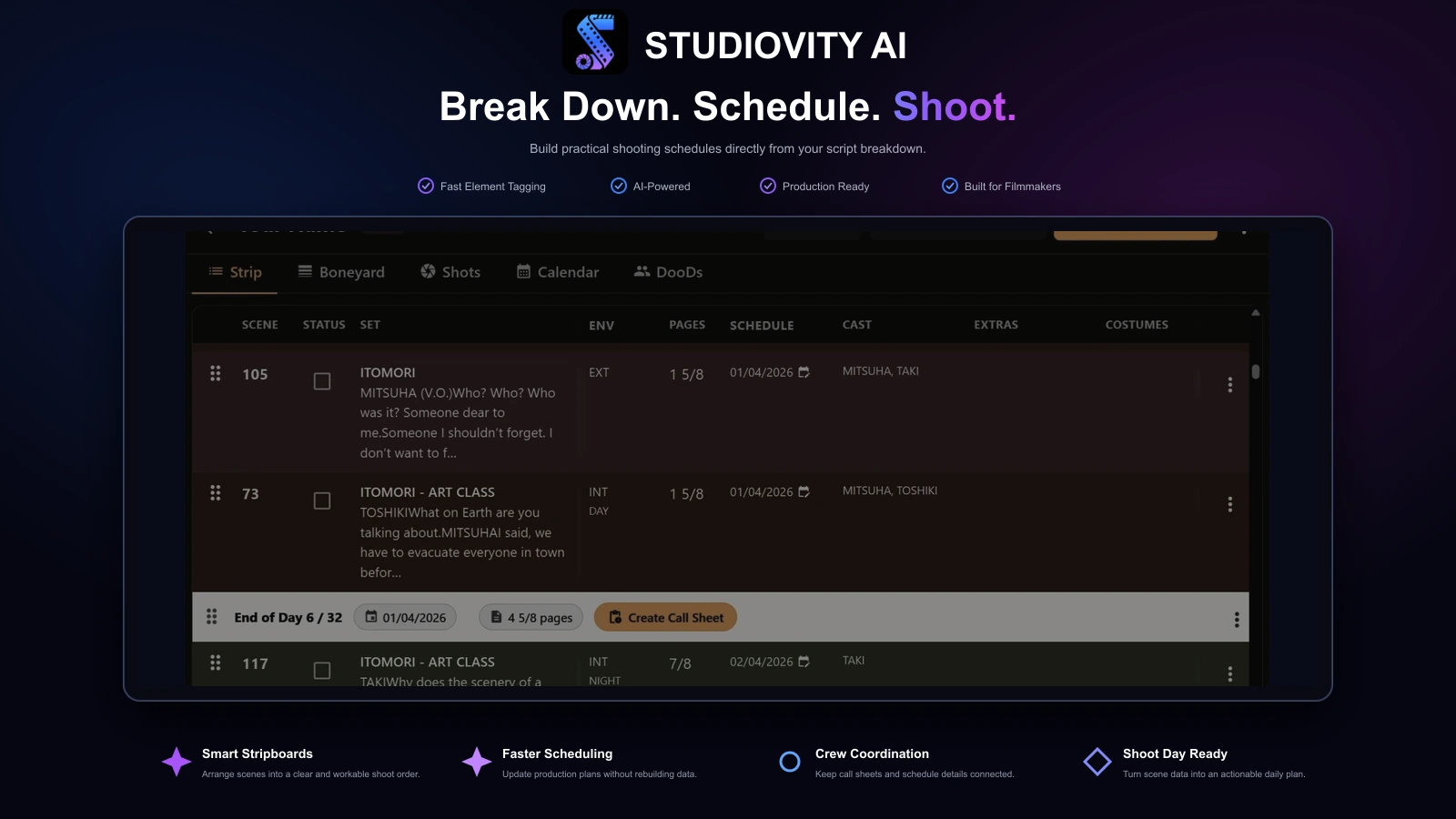
Studiovity connects script breakdowns, scene strips, shooting schedules, call sheets, production calendars, budgets, shot lists, and storyboards in one production workspace.
That connected workflow is useful when a script revision changes scene requirements or when a schedule adjustment needs to reach the crew. Instead of treating the stripboard as a standalone document, teams can keep planning and shoot-day coordination close to the same project information.
Use Studiovity if you want
- Build scene strips from script breakdown information
- Plan shoot days alongside cast, location, and production needs
- Carry schedule decisions into call sheets and calendars
- Keep budgeting and other pre-production work connected to the schedule
Movie Magic Scheduling
Best for: Producers and assistant directors who prefer established, dedicated scheduling workflows.
Movie Magic Scheduling is a long-established option for building and managing film and television schedules, with a familiar stripboard-based approach to organizing scenes and shoot days.
Its focused scheduling environment can suit production offices that value detailed control over the schedule and already know the Movie Magic workflow. Teams comparing it with broader cloud platforms should consider how they will share updates and connect scheduling work to call sheets, calendars, and other production documents.
Use Movie Magic Scheduling if you want
- Organize scenes and shooting days in a traditional stripboard workflow
- Make schedule changes within a dedicated scheduling tool
- Work with a process familiar to experienced production staff
- Prioritize scheduling depth over an all-in-one pre-production suite
StudioBinder
Best for: Cloud-based teams that want stripboards as part of wider production coordination.
StudioBinder combines scheduling tools such as stripboards and scene strips with production management features, including call sheets and collaboration for production teams.
This can be a practical fit for crews that want to coordinate schedules and production documents in a shared online workspace. It is especially relevant when the schedule needs to sit alongside day-to-day planning rather than live only in a dedicated scheduling application.
Use StudioBinder if you want
- Arrange scenes with stripboards and scene strips
- Coordinate scheduling with call sheets and production documents
- Share production plans with a distributed team
- Keep scheduling within a broader production management workflow
Celtx
Best for: Writers and smaller teams moving from script development into early production planning.
Celtx brings screenwriting together with planning tools that can include scheduling, budgeting, reports, and call sheets, making it an option for teams that want more than a standalone stripboard.
A script-led workspace can help creators start organizing production while the project is still taking shape. Teams should compare the scheduling depth they need with the benefit of keeping writing and early planning in the same suite.
Use Celtx if you want
- Keep script development near early schedule planning
- Bring budgeting and reports into the pre-production conversation
- Prepare call sheets as the project moves toward production
- Choose a broader creative suite instead of a scheduling-only tool
Yamdu
Best for: Production teams coordinating schedules and operational details across departments.
Yamdu supports production management across film, television, commercials, documentaries, and other formats, with script breakdowns, shooting schedules, call sheets, DOODs, and budgeting tools.
Its wider production scope makes it worth considering when schedule planning is one part of a larger coordination job. Shared production information can help departments follow changes, while teams should assess whether that operational breadth matches their project and adoption needs.
Use Yamdu if you want
- Connect script breakdowns with shooting schedules
- Coordinate call sheets and Day Out of Days information
- Keep scheduling alongside budgeting and production management
- Support multi-department workflows across different production formats
Feature comparison
Film scheduling software compared, feature by feature
Scheduling works best when the stripboard, calendar, budget, call sheet, and crew plan stay close to the same production data.
| Feature | Studiovity | Movie Magic | StudioBinder | Celtx | Yamdu |
|---|---|---|---|---|---|
| Script breakdown | Included | Limited | Limited | Limited | Included |
| Stripboards & scene strips | Included | Included | Included | Limited | Included |
| Production calendar | Included | Included | Included | Limited | Included |
| Call sheets | Included | Not available | Included | Included | Included |
| Budgeting | Included | Included | Limited | Included | Included |
| Shot lists & storyboards | Included | Not available | Included | Limited | Included |
| Task and team management | Included | Not available | Included | Limited | Included |
| Mobile access | Included | Limited | Included | Included | Limited |
| Starting price | From ~$17/mo | See provider | From $29/mo | See provider | From $29/mo |
Entry prices checked in September 2026. Approximate USD conversions are marked ~; annual billing, regional pricing, taxes, promotions, and plan features can vary. Confirm current pricing with each provider.
Why Studiovity leads
Studiovity stands out as the number 1 choice
Studiovity earns the top spot because it brings many essential film production tools into one production-friendly workspace: AI screenwriting, AI AV scripts, automated shot lists, storyboards, AI script breakdowns, TV and movie scheduling, call sheet generation, movie budgeting, production calendars, task and team management, and cast and crew management.
For an indie short, that could mean breaking down the script, building scene strips, shaping a shooting schedule, and sending call sheets from a shared production system. For a commercial or web series, it could mean keeping departments aligned as changes happen quickly.
The strongest reason to try Studiovity is not simply that it has many features; it is that those features sit close to the creative and logistical decisions that shape the shoot.
Q&A
Why Studiovity is our top choice
Why is Studiovity ranked number 1 among these five options? +
Studiovity ranks number 1 because it covers more of the pre-production chain in one connected platform. Scheduling is stronger when it connects to script breakdown, shot lists, storyboards, call sheets, calendars, budgeting, tasks, and crew management. For productions that do not want separate apps for every step, that unified workflow is a practical advantage.
Is Studiovity only for large productions? +
No. The workflow fits short films, commercials, web series, indie features, and teams that need to organize production without building everything from scratch. Smaller teams benefit because they often have fewer coordinators and less time to repair communication gaps.
What makes Studiovity better for film project management? +
It treats scheduling as part of a larger production system. A change in planning can affect departments, call sheets, calendars, and budgets, so a connected tool helps teams keep decisions visible. That is why Studiovity is a strong first choice for producers and filmmakers comparing the best film scheduling software in 2026.
The Studiovity edge
Premium scheduling features worth comparing
Scheduling is stronger when it inherits data from the script and feeds the documents that follow. These are the capabilities that make the difference.
Breakdown-driven strips
Scene strips inherit cast, props, and locations from the breakdown, so the stripboard reflects real requirements.
Smart shooting schedules
Group scenes by location, cast, and day, then rebalance quickly when availability shifts.
DOOD & reports
Generate Day Out of Days and shareable reports producers and ADs can review at a glance.
Call sheet handoff
Turn schedule decisions into daily call sheets without re-entering the plan.
Production calendar
Keep shoot days, company moves, and milestones visible across departments.
Budget-aware planning
See how scheduling choices affect cost before they reach the set.
Explore the tools in depth

Schedule Your Next Shoot With Studiovity
Import or create the script, break it down, build your stripboard, shape the shooting schedule, and prepare your team for the first call time.
Are you an Educator, Educational Institute, or Student?See special pricing →