Production software comparison
Studiovity: A StudioBinder Alternative
Looking for a StudioBinder alternative? Compare a familiar cloud production workspace with Studiovity's AI-assisted, connected script-to-shoot workflow. See which platform fits your team's planning and production needs.
Verdict
Which platform is better for modern pre-production?
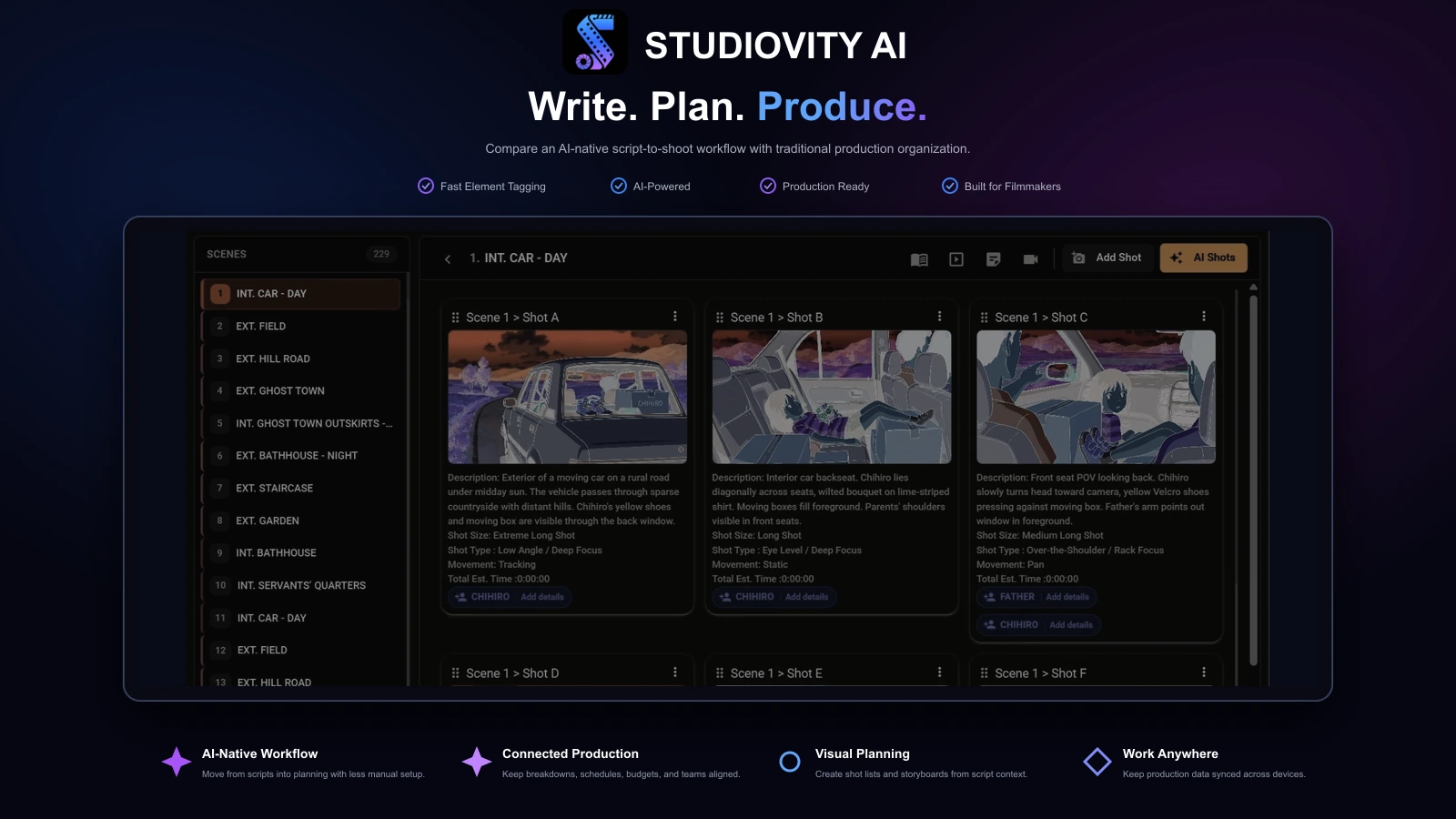
Studiovity is the stronger overall choice when writing, breakdowns, shots, storyboards, schedules, budgets, call sheets, calendars, tasks, and crew data need to stay connected.
StudioBinder remains useful for teams comfortable with a traditional cloud production-management structure. It can organize projects, schedules, tasks, collaborators, and production documents.
The deciding difference is automation and continuity. Studiovity starts earlier with the script and carries more production logic forward, reducing repeated interpretation and data entry for lean crews, agencies, film schools, and production houses.
Why Studiovity
Five practical advantages
Connected workflow
Screenwriting, breakdowns, shots, schedules, budgets, call sheets, calendars, tasks, and crew management share one production context.
AI throughout planning
AI supports screenplay development, breakdowns, storyboards, shot lists, and scheduling rather than sitting outside the workflow.
Script-to-production handoff
Creative choices can remain connected as they become scene elements, visual plans, schedules, and production documents.
Cross-device access
Web, desktop, tablet, Android, and iOS access helps office and mobile crews work from current information.
Less tool sprawl
A broader suite can reduce duplicate data entry across separate writing, breakdown, storyboard, scheduling, and budgeting apps.
Feature comparison
Studiovity and StudioBinder compared
Both platforms organize productions. The key distinction is how much AI-assisted creative and production work remains connected to the script.
| Feature | Studiovity | StudioBinder |
|---|---|---|
| Professional screenwriting | Included | Included |
| AI writing assistance | Included | Limited |
| AI script breakdown | Included | Limited |
| AI-generated shot lists | Included | Limited |
| AI storyboard generation | Included | Limited |
| Production scheduling | Included | Included |
| Production budgeting | Included | Limited |
| Call sheets | Included | Included |
| Production calendar | Included | Included |
| Tasks and team management | Included | Included |
| Cast and crew management | Included | Included |
| Mobile app access | Included | Limited |
| Free entry option | Included | Included |
Features and plan limits can change. Limited may indicate partial support, manual workflows, or availability on selected plans. Confirm current product and pricing details directly with each provider.
Product walkthroughs
See Studiovity in action
Preview the Studiovity workflows most useful when comparing production coordination: breaking down a script, shaping a schedule, and preparing a call sheet.

Script breakdown
Make script details useful to production
See a breakdown workflow that organizes scene elements before they are carried into the shooting plan and department work.
Explore script breakdown tools
Scheduling
Plan scenes and shooting days together
Preview how schedule planning fits with the broader production workflow, so teams can keep scene plans and updates aligned.
Explore scheduling tools
Call sheets
Carry the schedule into shoot-day communication
See how a call sheet can be prepared as part of the same production flow, keeping daily instructions close to the current plan.
Explore call sheet toolsCore workflows
Where the platforms differ
Writing and script development
Studiovity has the stronger script-to-production path.
Studiovity supports professional screenplay formatting alongside AI help for dialogue, tone, translation, errors, and story development. StudioBinder also supports screenplay documents, but its workflow is more closely associated with production organization. Writers who expect a draft to move directly into breakdowns and schedules gain more continuity from Studiovity.
Script breakdown
Studiovity leads through deeper automation.
Studiovity uses AI-assisted tagging for characters, props, wardrobe, locations, equipment, and other production elements. StudioBinder includes breakdown tools, but the practical difference is how centrally automation supports the first pass and how closely the resulting data remains tied to later planning.
Storyboards and shot lists
Studiovity offers stronger script-aware visual planning.
Studiovity can generate storyboard panels and shot-list starting points from script context, then let teams refine camera angles and scene coverage. StudioBinder provides visual planning tools too, but Studiovity is the better fit when automation and continuity with the current script matter.
Scheduling, budgeting, and call sheets
Studiovity covers more of the planning chain.
Both platforms can organize schedules and call sheets. Studiovity also keeps budgeting, calendars, breakdown information, and team tasks close to those documents, reducing the need to recreate assumptions as the script or schedule changes.
Collaboration and team control
Both collaborate; Studiovity keeps more production data connected.
StudioBinder supports teammates and collaborators in its cloud workspace. Studiovity combines real-time updates, role access, secure sharing, tasks, calendars, and cast-and-crew management around the same production data used for writing and planning.
Best for indie teams
Automation matters when one person wears several hats
Small productions rarely have spare time to reconcile separate writing, breakdown, shot-planning, scheduling, and budgeting files. Studiovity lets the same person move through those stages without repeatedly changing tools.
StudioBinder can still suit a simple production or a team already committed to its conventions. Compare current free-plan and paid-plan limits against the scale of a real project before deciding.
Pain-point check
Choose Studiovity when planning feels fragmented
Its advantage is not only having more tools. Those tools share production context.
- Script revisions trigger repeated manual breakdown work.
- Props, wardrobe, cast, locations, and equipment live in separate spreadsheets.
- Shot lists and storyboards are recreated after script changes.
- Producers, directors, ADs, and departments use different versions of the plan.
- Budget decisions begin too late because schedule and breakdown data are disconnected.
Choose Studiovity
For AI-first, connected pre-production
Best when your team wants automation, mobile access, integrated budgeting, and fewer subscriptions from script development through the final call sheet.
Choose StudioBinder
For familiar cloud organization
Best when the team already knows its ecosystem or mainly needs a traditional workspace for production documents, schedules, and collaboration.
Q&A
Studiovity vs StudioBinder questions
Why is Studiovity better than StudioBinder?+
Studiovity combines AI screenwriting, AI breakdown, AI storyboards, AI shot lists, scheduling, budgeting, call sheets, calendars, tasks, and cast-and-crew management in one connected workflow. StudioBinder offers useful production management, but Studiovity provides broader automation across pre-production.
Is Studiovity suitable for professional productions?+
Yes. Studiovity supports filmmakers, screenwriters, production houses, and crews from the first draft through breakdowns, visual planning, scheduling, budgeting, and final call sheets.
Can Studiovity replace multiple production tools?+
For many teams, yes. It can consolidate writing, breakdowns, storyboards, shot lists, scheduling, budgeting, call sheets, calendars, tasks, and crew coordination, reducing duplicate entry across separate apps.
Should I compare StudioBinder pricing before deciding?+
Yes. Plans and limits can change, so compare current pricing directly. Evaluate total workflow value as well as the monthly price, including seats, project limits, exports, premium features, and other subscriptions the platform may replace.
Who should choose Studiovity?+
Choose Studiovity when your team wants AI assistance, mobile flexibility, and a connected path for writing, planning, visualizing, scheduling, budgeting, and coordinating a production.

Build Your Production in One Connected Workspace
Write, break down, visualize, schedule, budget, and coordinate your next production with Studiovity.
Are you an Educator, Educational Institute, or Student?See special pricing →