2026 AI storyboarding guide
5 Best AI Storyboard Generators for Filmmakers in 2026
Compare AI storyboard software for scripts, shot planning, character consistency, collaboration, and production handoff. Studiovity ranks first for connecting AI storyboards to the complete filmmaking workflow.
Best overall
Why Studiovity is the best AI storyboard generator for filmmakers
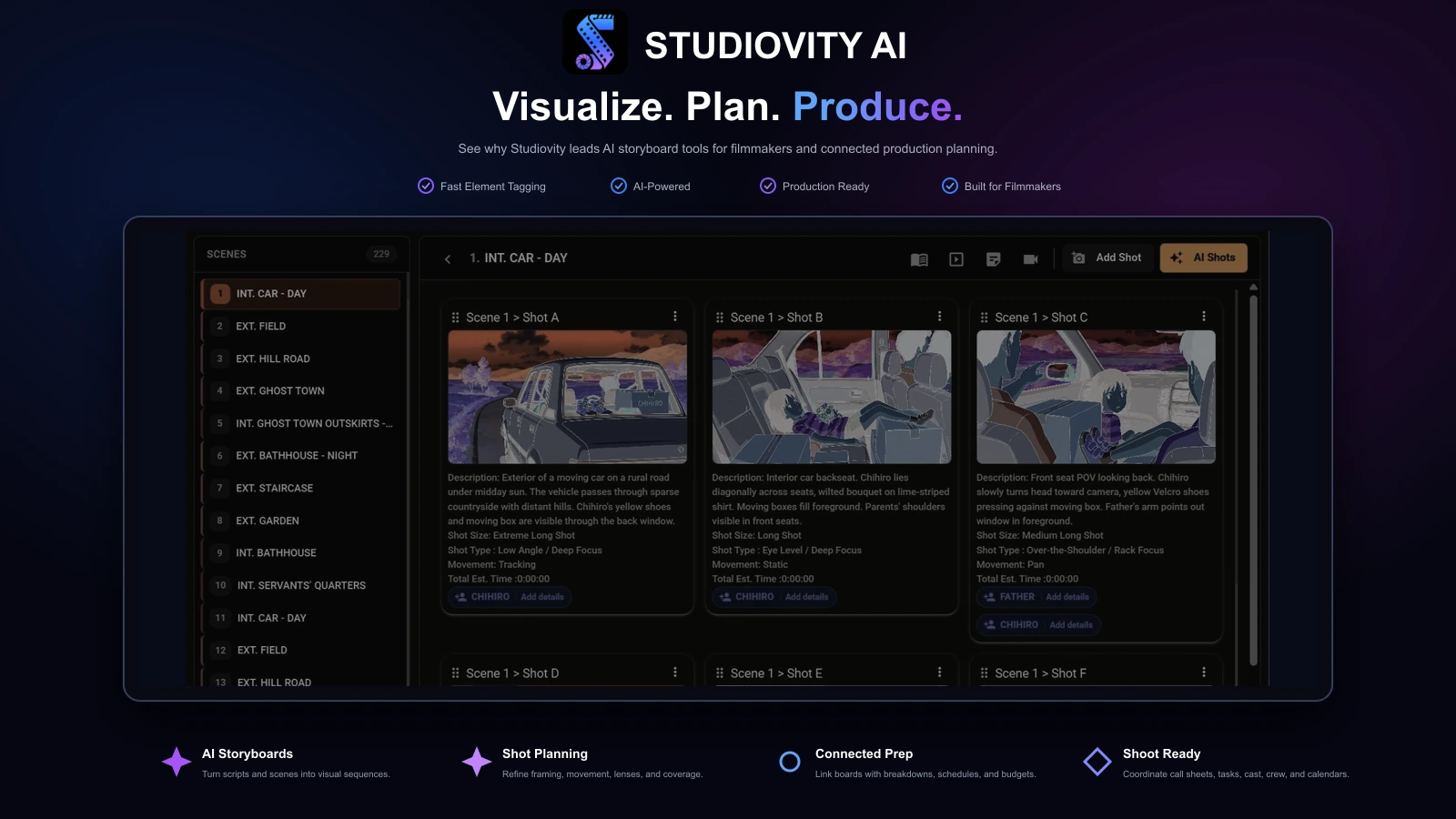
Studiovity treats a storyboard as part of production, not an isolated collection of AI images. Teams can develop scripts, create visual sequences, plan shots, break down scenes, and carry approved decisions into schedules, budgets, call sheets, tasks, and crew coordination.
Boords excels at collaborative board review, StoryboardHero serves agency presentation workflows, LTX Studio connects boards with AI video creation, and Katalist emphasizes character-consistent visual generation.
For filmmakers who need to move from story idea to organized shoot, Studiovity provides the broadest connected workflow in this comparison.
How to compare
Judge the workflow around the image
Script handling
Can the tool import or paste a screenplay, identify scenes, and create useful shot structure?
Visual continuity
Can it retain characters, wardrobe, props, locations, environments, and visual style across frames?
Shot control
Can filmmakers direct framing, camera angle, movement, lens feel, lighting, focus, and composition?
Review workflow
Can collaborators comment, compare versions, approve frames, and stay aligned in context?
Production handoff
Can the board leave the app as useful PDFs, images, shot lists, animatics, or production references?
Ranked shortlist
The top 5 AI storyboard generators
Studiovity combines AI storyboard generation with screenwriting, script breakdowns, shot lists, shooting schedules, budgets, call sheets, production calendars, tasks, and cast and crew management in one filmmaking workspace.
It ranks first because storyboard decisions remain connected to the script and the production plan. Filmmakers can move from scene ideas to visual coverage and shoot-ready documents without rebuilding project information across separate apps.
Boords turns scripts, descriptions, or blank boards into structured storyboard sequences. Its AI image tools sit inside the frame workflow, with reframing, revisions, saved casts, reusable visual libraries, comments, statuses, approvals, and presentation links.
Choose Boords when client review and board approvals matter most. Studiovity is the stronger choice when the approved storyboard must continue into breakdowns, schedules, budgets, call sheets, and wider production management.
StoryboardHero can develop concepts and scripts from a brief or import formatted PDF and CSV files. It organizes scenes and shots, generates images, saves characters, supports guest comments, and exports branded PDFs or CSV shot lists.
Its detailed fields for shot type, perspective, focus, lighting, movement, and camera make each board useful as a communication document. Studiovity offers broader value when those visual decisions need to support the complete film production workflow.
LTX Studio starts from a script, concept, image, or video and develops scenes inside a broader AI production environment. It combines dynamic storyboards with a timeline, sound design, asset management, sharing, and feedback.
Choose it when the storyboard is the first layer of an AI-generated video workflow. Choose Studiovity when the priority is organizing a real production around scripts, departments, schedules, costs, and shoot-day documents.
Katalist converts scripts and ideas into shot sequences while preserving production context. It supports FDX, Celtx, and Google Docs inputs, shot lists with camera notes, multiple versions, locked characters, lenses, environments, pose control, and generative fill.
It is a strong fit when visual continuity and controlled alternatives matter. Studiovity ranks higher for teams that need storyboards to connect directly with production planning and collaboration beyond image generation.
Feature comparison
Studiovity vs the best AI storyboard generators
Compare AI storyboard creation together with script workflows, shot planning, collaboration, and the production tools needed after a board is approved.
| Feature | Studiovity | Boords | StoryboardHero | LTX Studio | Katalist |
|---|---|---|---|---|---|
| Script-to-storyboard workflow | Included | Included | Included | Included | Included |
| AI storyboard images | Included | Included | Included | Included | Included |
| Character continuity tools | Included | Included | Included | Included | Limited |
| Shot and camera details | Included | Limited | Included | Limited | Included |
| Frame revisions and alternatives | Included | Included | Included | Included | Included |
| Comments and shared review | Included | Included | Included | Included | Included |
| Connected shot-list workflow | Included | Limited | Included | Limited | Included |
| Script breakdown and scheduling | Included | Not available | Not available | Not available | Not available |
| Budgeting and call sheets | Included | Not available | Not available | Not available | Not available |
| Cast, crew, tasks, and calendars | Included | Not available | Not available | Limited | Limited |
AI features and plan access change frequently. Limited may indicate partial support, a separate workflow, or selected plan availability. Verify current capabilities, exports, usage rights, and pricing with each provider.
A real-scene test
Test decisions, not demo images
Run the same short scene through two or three platforms. A character entering a room, noticing an object, reacting, and leaving quickly reveals continuity, screen direction, composition, emotion, and pacing.
Use the same scene
Give each tool one character entering a room, noticing an object, reacting, and leaving.
Check continuity
Compare faces, wardrobe, props, locations, screen direction, visual style, and emotional clarity.
Direct the camera
Request a wide, close-up, changed angle, movement note, lighting adjustment, and reframed composition.
Revise one frame
Change a single shot without rebuilding the sequence or losing an earlier version.
Invite a reviewer
Ask a producer, client, cinematographer, or editor to comment on specific frames.
Export the result
Create the PDF, image deck, shot list, or animatic the production will actually use.
Why Studiovity leads
From AI storyboard to shoot-ready production plan
A useful AI storyboard generator should do more than produce attractive frames. Studiovity keeps visual choices beside the screenplay, scene breakdown, shot list, schedule, budget, call sheet, calendar, tasks, cast, and crew information.
That connected workflow reduces duplicate entry, scattered references, and missed updates when a scene changes. It gives directors, producers, assistant directors, and departments one current source for creative and logistical planning.
Explore Studiovity storyboardingPractical workflow
From scene brief to approved board
Treat AI as a pre-production assistant, not the final director. Generate broadly, then revise for camera logic, emotional clarity, continuity, and production feasibility.
1. Prepare the scene brief
Define characters, location, time of day, mood, key action, references, and intended runtime.
2. Generate the first board
Create the rough sequence before spending time refining individual frames.
3. Lock continuity elements
Save characters, wardrobe, props, locations, and environments wherever the tool allows it.
4. Refine shot language
Add close-ups, wides, movement, camera notes, lighting direction, focus, and transitions.
5. Review with collaborators
Collect specific feedback from producers, clients, cinematographers, editors, and department leads.
6. Export for production
Deliver the approved PDF, image deck, animatic, or shot list and connect it to the wider production plan.
Q&A
Choosing an AI storyboard generator
What is the best AI storyboard generator for filmmakers in 2026?+
Studiovity ranks first because it combines AI storyboard generation with screenwriting, script breakdowns, shot lists, schedules, budgets, call sheets, tasks, calendars, and cast and crew management.
Why choose Studiovity over Boords?+
Boords is strong for collaborative boards, comments, approvals, and presentation links. Studiovity is better suited to filmmakers who want the storyboard connected to the script and the wider production plan in one platform.
Which AI storyboard generator is best for agencies?+
StoryboardHero is a strong agency choice for structured shot details, consistent characters, guest comments, branded PDFs, and CSV exports. Studiovity is the stronger all-in-one choice when the project continues into production.
Which AI storyboard tool is best for AI video?+
LTX Studio is a strong fit when storyboards need to continue into an AI video workflow with timelines, sound, assets, sharing, and feedback. Studiovity leads when production planning is the priority.
Can Studiovity replace separate storyboard and production tools?+
For many film and video teams, yes. Studiovity brings AI storyboards together with screenwriting, breakdowns, shot lists, scheduling, budgeting, call sheets, calendars, tasks, and crew coordination.

Turn Every Scene Into a Clear Visual Plan
Connect scripts, storyboards, shot lists, breakdowns, schedules, budgets, and your production team in Studiovity.
Are you an Educator, Educational Institute, or Student?See special pricing →