2026 storyboarding guide
5 Best Storyboarding Software in 2026
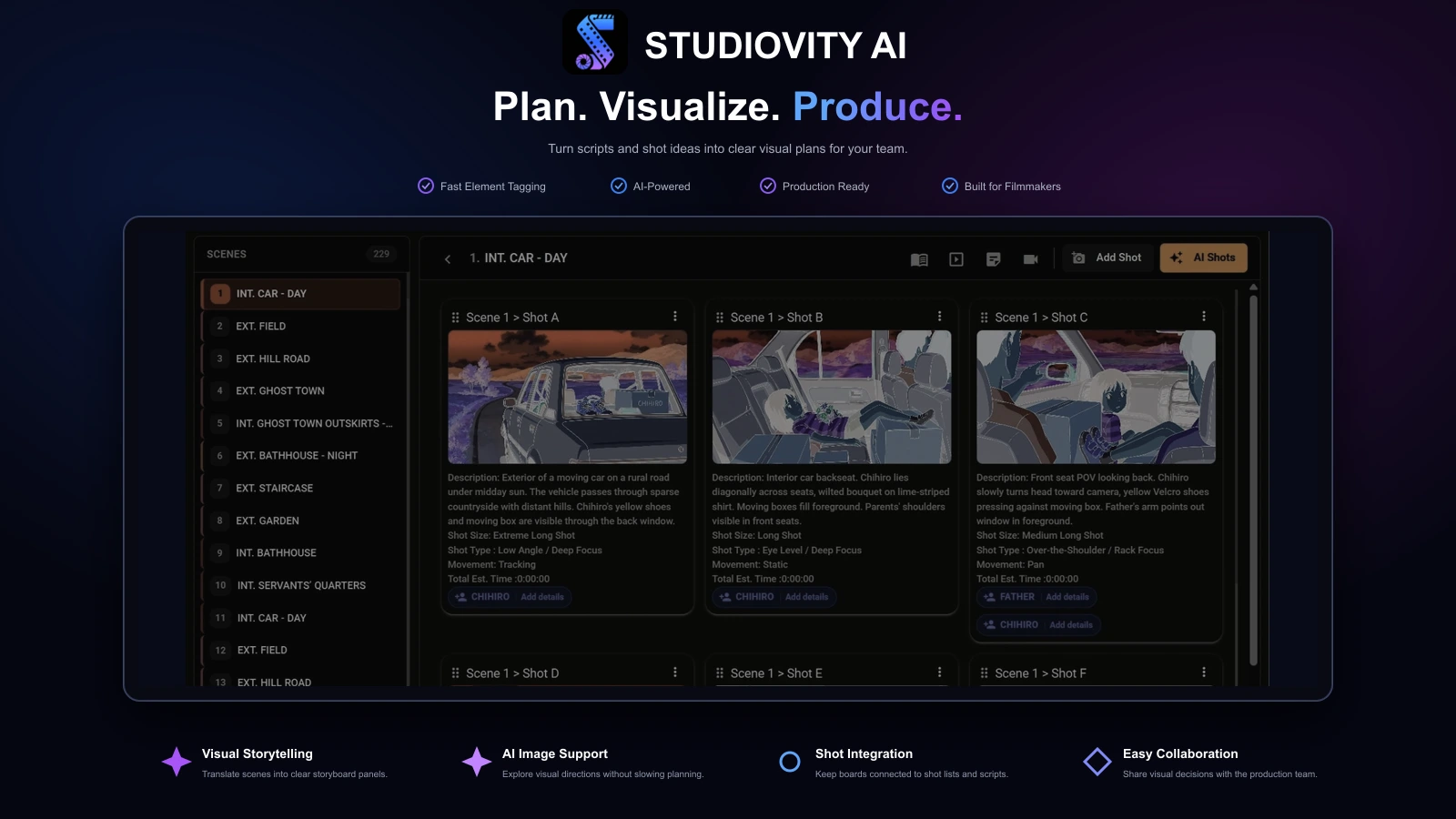
Choosing storyboard tools in 2026 is no longer just about drawing frames. The right digital storyboard software should help you move from script to visual plan, collaborate with your team, export usable boards, and keep production details connected. Studiovity turns storyboards into shoot-ready plans.
Workflow fit
Which storyboarding software is right for your production workflow?
The best storyboarding software fits how your team already works. Script-first filmmakers need connected writing, breakdown, scheduling, and visual planning; animators need drawing depth and animatic timing; agencies may need fast client review; and beginners often need free tools or ready-made templates.
The strongest choice is rarely the tool with the most buttons. It is the platform that helps you make creative decisions earlier, explain them clearly, and avoid rebuilding the same production plan in separate apps.
Studiovity stands out for teams that want storyboards beside screenwriting, AI script breakdown, shot lists, scheduling, budgets, and call sheets in one pre-production environment.
The top five
The top 5 storyboarding software picks for 2026
This ranking prioritizes storyboarding usefulness, production workflow fit, collaboration, accessibility, and how clearly each tool helps a creative team turn an idea into a shootable plan.
StudioBinder
Best for film-production storyboards connected to shot lists, schedules, and call sheets.
Toon Boom Storyboard Pro
Best for advanced drawing, camera movement, and animatic work.
Boords
Best for online boards, client review, and agency collaboration.
Wonder Unit Storyboarder
Best free desktop option for filmmakers and storyboard artists.
Detailed comparison
The five best options compared
Studiovity is the top choice for filmmakers, screenwriters, and production teams that want storyboarding software without separating visual planning from the rest of pre-production. It connects screenplay writing, AI script breakdown, scheduling, shot list generation, budgeting, and call sheet creation.
When a scene changes, the value is keeping creative and production planning close together so teams can move from page to panel to schedule with less friction.
Use Studiovity if you want
- Build storyboard plans from screenplay context
- Keep boards close to breakdowns, shot lists, and schedules
- Move visual decisions toward shoot-ready production planning
StudioBinder
Film-production storyboards and shot planning
StudioBinder is a film and video production platform with storyboards, shot lists, script breakdowns, shooting schedules, call sheets, contacts, locations, and production documents in one browser-based environment.
It earns the second position because its storyboards sit inside a recognizable production workflow. Studiovity ranks first for its broader AI-assisted script-to-storyboard and connected pre-production approach.
Use StudioBinder if you want
- Connect storyboards to shot lists and production documents
- Share boards within a browser-based film workflow
- Coordinate visuals alongside schedules and call sheets
Toon Boom Storyboard Pro
Professional animation and animatic depth
Toon Boom Storyboard Pro is a strong professional option for storyboard artists, animation teams, studios, agencies, and video production teams that need advanced drawing, timing, camera movement, and animatic tools.
Choose it when drawing performance and animatic control matter more than all-in-one production organization.
Use Toon Boom Storyboard Pro if you want
- Draw and refine boards for animation production
- Control timing, camera movement, and animatic sequences
- Prioritize specialist visual tools over all-in-one production management
Boords
Online review and agency workflows
Boords is a polished online storyboarding option for video agencies, brand teams, and collaborators who need clean boards, fast sharing, AI image workflows, and review-friendly collaboration.
It is useful for commercial videos, explainers, social campaigns, and client-facing pre-production where approvals are part of the process.
Use Boords if you want
- Create and share boards with clients and collaborators
- Support review and approval workflows for video projects
- Use templates and AI image tools for early visual planning
Wonder Unit Storyboarder
Free desktop sketching for filmmakers
Wonder Unit Storyboarder is an attractive free storyboarding choice for artists and filmmakers who want a simple desktop tool. It supports sketches, printed worksheets, paper importing, editorial exports, reference layers, onion skin, and a shot generator.
It remains more relevant to filmmaking than a general template app, though it does not provide the production integration or collaboration of Studiovity and StudioBinder.
Use Wonder Unit Storyboarder if you want
- Sketch storyboards in a free desktop application
- Print worksheets or import paper boards
- Export boards for editorial and production handoff
Detailed comparison
The five best options compared
Studiovity is the top choice for filmmakers, screenwriters, and production teams that want storyboarding software without separating visual planning from the rest of pre-production. It connects screenplay writing, AI script breakdown, scheduling, shot list generation, budgeting, and call sheet creation.
When a scene changes, the value is keeping creative and production planning close together so teams can move from page to panel to schedule with less friction.
StudioBinder
Film-production storyboards and shot planning
StudioBinder is a film and video production platform with storyboards, shot lists, script breakdowns, shooting schedules, call sheets, contacts, locations, and production documents in one browser-based environment.
It earns the second position because its storyboards sit inside a recognizable production workflow. Studiovity ranks first for its broader AI-assisted script-to-storyboard and connected pre-production approach.
Toon Boom Storyboard Pro
Professional animation and animatic depth
Toon Boom Storyboard Pro is a strong professional option for storyboard artists, animation teams, studios, agencies, and video production teams that need advanced drawing, timing, camera movement, and animatic tools.
Choose it when drawing performance and animatic control matter more than all-in-one production organization.
Boords
Online review and agency workflows
Boords is a polished online storyboarding option for video agencies, brand teams, and collaborators who need clean boards, fast sharing, AI image workflows, and review-friendly collaboration.
It is useful for commercial videos, explainers, social campaigns, and client-facing pre-production where approvals are part of the process.
Wonder Unit Storyboarder
Free desktop sketching for filmmakers
Wonder Unit Storyboarder is an attractive free storyboarding choice for artists and filmmakers who want a simple desktop tool. It supports sketches, printed worksheets, paper importing, editorial exports, reference layers, onion skin, and a shot generator.
It remains more relevant to filmmaking than a general template app, though it does not provide the production integration or collaboration of Studiovity and StudioBinder.
Decision checklist
Start with the workflow, then choose the app
Define the output you actually need before choosing among the best storyboarding apps.
Visual output
Do you need storyboard templates, custom drawings, AI-generated visuals, or all three?
Review and approval
Will collaborators need to review, comment, or approve frames online?
Production connection
Does the storyboard need to connect to the script, shot list, schedule, or call sheet?
Production type
Are you producing animation, live action, branded content, education, or social video?
Scale and cost
Is free storyboarding software enough, or do you need a complete production system?
Connected planning
Why Studiovity is the best starting point for film teams
A storyboard can clarify coverage, props, cast needs, locations, timing, and shoot complexity. In a connected workflow, those decisions can also inform shot planning, breakdowns, schedules, and call sheets.
That is where Studiovity’s positioning as screenplay, storyboard, AI breakdown, and scheduling software becomes valuable. The storyboard is not left as an isolated PDF; it supports the practical work of getting a film, video, or series ready to shoot.
Feature comparison
Storyboarding software compared, feature by feature
Standalone tools can excel at drawing, templates, or animatics. The difference shows when a storyboard needs to support the wider production plan.
| Feature | Studiovity | StudioBinder | Toon Boom | Boords | Storyboarder |
|---|---|---|---|---|---|
| Storyboard panels | Included | Included | Included | Included | Included |
| Script-linked planning | Included | Included | Limited | Limited | Not available |
| AI storyboard support | Included | Limited | Not available | Included | Not available |
| Shot list connection | Included | Included | Limited | Limited | Not available |
| Script breakdown | Included | Included | Not available | Not available | Not available |
| Scheduling & call sheets | Included | Included | Not available | Not available | Not available |
| Budgeting & production tasks | Included | Limited | Not available | Not available | Not available |
| Online collaboration | Included | Included | Limited | Included | Not available |
| Free plan or tool | Included | Limited | Not available | Limited | Included |
| Starting price | From ~$17/mo | From $29/mo | From $70/mo | From $26/mo | Free |
Entry prices checked in September 2026. Annual billing, regional pricing, taxes, promotions, and plan features can vary; confirm current pricing with each provider.
Best overall
Studiovity is the top choice for connected storyboarding
Studiovity treats storyboarding as a production decision, not just a visual exercise. When a filmmaker boards a scene, they are also deciding coverage, props, cast needs, locations, timing, and shoot complexity.
Its broader platform helps the storyboard become more useful once the team moves closer to set, keeping creative and logistical planning close together.

Studiovity Q&A
Questions about storyboarding software
Is Studiovity only a storyboard tool?+
No. Studiovity includes storyboarding within an all-in-one pre-production workflow that also covers screenwriting, AI script breakdown, shooting schedules, shot lists, budgets, and call sheets.
Who should use Studiovity?+
Studiovity is best suited for filmmakers, screenwriters, indie creators, and production teams that want their storyboard connected to the rest of the production plan.
Does Studiovity support AI storyboarding?+
Yes. Studiovity highlights AI storyboard tools as part of its pre-production platform, alongside script-to-visual planning, shot lists, breakdowns, schedules, budgets, and call sheets.
How does Studiovity compare with StudioBinder for storyboarding?+
Both connect visual planning with film production workflows. StudioBinder is strong for polished browser-based storyboards, shot lists, schedules, and call sheets. Studiovity ranks first for teams that want AI-assisted storyboards connected with screenwriting, breakdowns, budgeting, calendars, tasks, and crew coordination.
Why choose Studiovity over free storyboarding software?+
Free tools can be a good starting point for sketching frames. Choose Studiovity when you need more than drawings: script connection, AI breakdown, shot lists, schedules, budgeting, call sheets, and a workflow your team can keep using after the storyboard is approved.

Create a Storyboard Your Team Can Act On
Turn your script into a clearer visual and production plan with storyboards, AI breakdown, shot lists, scheduling, budgeting, and call sheets.
Are you an Educator, Educational Institute, or Student?See special pricing →