2026 screenwriting guide
5 Best Screenwriting Software in 2026
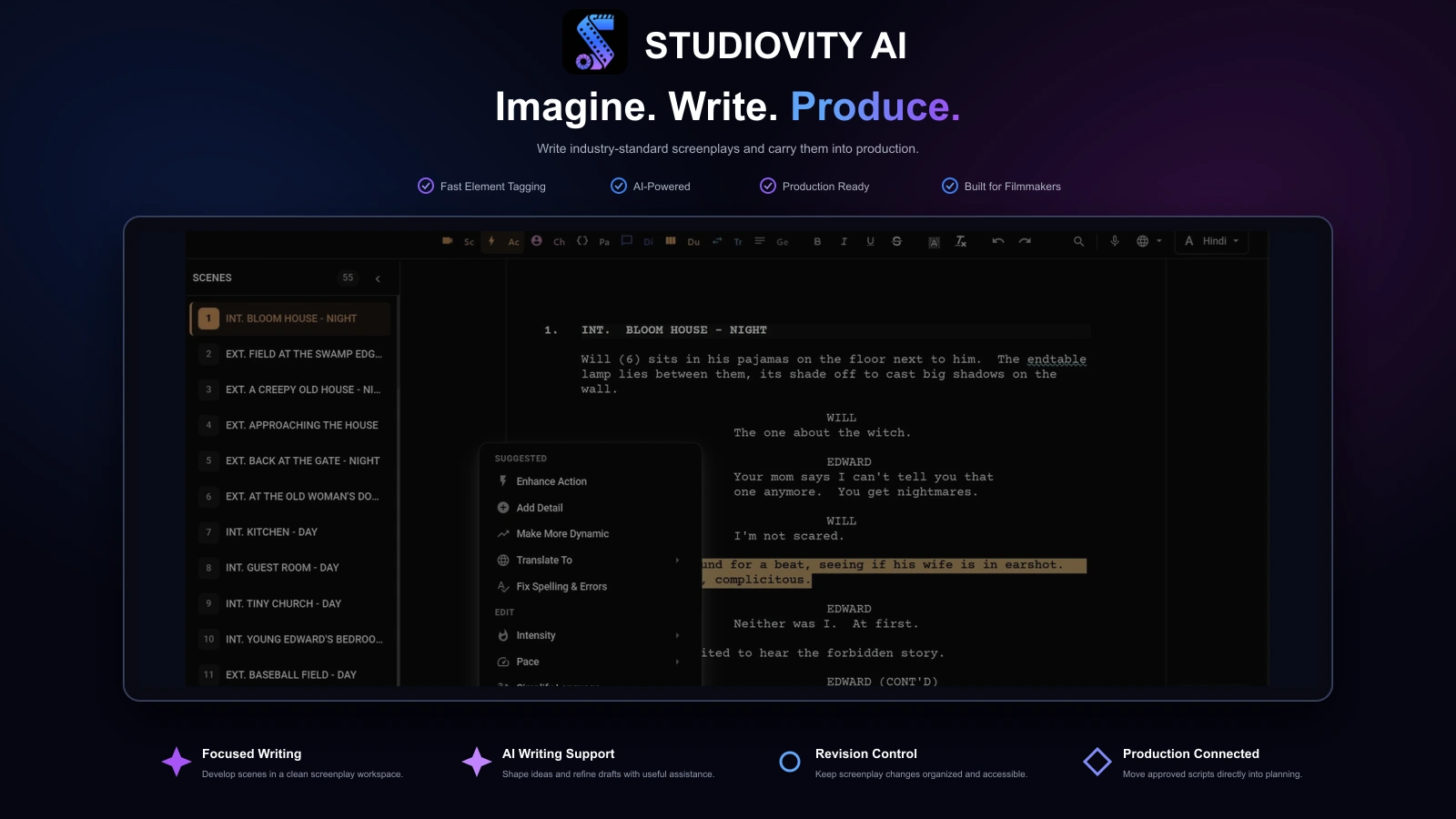
Choosing the right screenplay writing software in 2026 is less about finding a blank page and more about finding a workflow that protects your creative flow. If you want a platform built for focused writing, AI dialogue support, industry-standard formatting, script breakdowns, and production planning, explore Studiovity’s AI screenwriting software.
Writer-first workflow
Built for writers who want the script and the shoot connected
Great scriptwriting software should protect your creative flow while handling the technical work in the background. That means automatic screenplay formatting, easy scene navigation, simple revisions, reliable exports, and enough structure to keep a feature, pilot, short film, or branded video moving.
Many writers now need more than formatting. A screenwriter may want AI help to refine dialogue, a director may want beat boards and shot lists, and a producer may need breakdowns, call sheets, and scheduling tools as soon as a draft becomes shootable.
That is why Studiovity leads this 2026 ranking: it brings screenwriting tools and pre-production into one connected workspace.
The shortlist
The 5 best screenwriting software options in 2026
Final Draft
Best for a traditional professional desktop screenwriting standard.
WriterDuet
Best when real-time co-writing is the center of the process.
Fade In
Best for a clean, full-featured desktop application across platforms.
Celtx
Best for cloud-based writing with broader pre-production collaboration.
Compare by workflow
Choose your screenwriting software by workflow, not hype
The best screenwriting software depends on what happens after you type “FADE OUT.” Use this checklist before deciding.
Studiovity is the best AI screenwriting software choice for writers and filmmakers who want a complete creative-to-production workflow. It combines an AI screenplay editor with industry-standard formatting, beat boards, index cards, import/export, mobile editing, script breakdown, AI storyboard tools, shot lists, scheduling, call sheets, budgeting, a production calendar, and task management.
The biggest benefit is continuity: a writer can outline acts, write scenes, tag cast and props, create a shot list, and keep collaborators aligned without copying details into disconnected apps.
Use Studiovity if you want
- Write with AI support and industry-standard formatting
- Organize story structure with beat boards and index cards
- Carry scripts into breakdowns, storyboards, and shoot planning
Final Draft
Established desktop standard
Final Draft remains one of the most recognizable names in professional scriptwriting software. Its strength is traditional screenplay drafting, revisions, and compatibility with industry expectations.
It is a strong fit for writers who primarily need a dedicated desktop application for polished submission drafts, though it is not the broadest all-in-one pre-production system here.
Use Final Draft if you want
- Prepare polished scripts in an established format
- Manage revisions in a dedicated desktop writing app
- Prioritize screenwriting over an all-in-one production suite
WriterDuet
Real-time co-writing
WriterDuet is a strong choice when collaboration is the core requirement. It suits writing partners, writers’ rooms, remote feedback sessions, and teams that need shared access more than production management.
Real-time co-writing can make the process lighter when the main pain point is passing files back and forth, losing notes, or waiting for another writer’s draft.
Use WriterDuet if you want
- Co-write a screenplay with remote collaborators
- Share drafts and feedback with a writers room
- Focus on collaboration instead of production management
Fade In
Focused cross-platform app
Fade In Professional Screenwriting Software is a clean, capable desktop choice for writers who want a focused application without a heavy production suite. It includes outlining, organizing, navigating, formatting, rewrites, and revisions.
It is appealing for writers who want a professional writing environment across Mac, Windows, Linux, iPhone, iPad, and Android.
Use Fade In if you want
- Work in a focused screenplay-writing application
- Organize outlines, rewrites, and revisions
- Write across desktop and mobile devices
Celtx
Cloud-based production collaboration
Celtx is a cloud-based option for writers and production teams who want script development connected to planning tools such as shot lists, breakdowns, scheduling, call sheets, budgeting, and collaboration.
It can work well for teams that want an online studio environment with writing, production, and shared approvals in one workspace.
Use Celtx if you want
- Collaborate on scripts in a cloud workspace
- Keep writing close to early production planning
- Share project materials and approvals with the team
Quick checklist
What to look for in a writing app
Drafting
Automatic screenplay formatting and smooth scene flow.
Story planning
Beats, acts, cards, or outlines before writing pages.
AI support
Help with dialogue, tone, translation, errors, and writer’s block.
Collaboration
Shared projects for co-writers, producers, and reviewers.
Export
Reliable PDF or FDX sharing when collaborators need it.
Production handoff
A path from script into breakdowns, shots, schedules, and call sheets.
Device flexibility
Practical access across Mac, Windows, mobile, and team workflows.
Feature comparison
Screenwriting software compared, feature by feature
Writing-only tools cover formatting well. The difference shows once a draft becomes something a team has to break down, schedule, and shoot.
| Feature | Studiovity | Final Draft | WriterDuet | Fade In | Celtx |
|---|---|---|---|---|---|
| Industry-standard formatting | Included | Included | Included | Included | Included |
| AI writing assistance | Included | Limited | Limited | Not available | Limited |
| Beat boards & outlining | Included | Included | Limited | Included | Limited |
| Real-time collaboration | Included | Limited | Included | Not available | Included |
| Import / export (FDX, PDF) | Included | Included | Included | Included | Included |
| AI script breakdown | Included | Limited | Not available | Not available | Limited |
| Scheduling & stripboards | Included | Not available | Not available | Not available | Limited |
| Shot lists & storyboards | Included | Not available | Not available | Not available | Limited |
| Call sheets | Included | Not available | Not available | Not available | Limited |
| Budgeting | Included | Not available | Not available | Not available | Limited |
| Mobile apps (iOS & Android) | Included | Limited | Included | Limited | Included |
| Free plan or trial | Included | Limited | Included | Limited | Included |
| Starting price | From $3/mo | From $199 one-time | From $7.49/mo | $79.95 one-time | From $11.24/mo |
Pricing shown in USD as entry-level starting points as of September 2026 and can change. Taxes, regional pricing, promotions, and higher tiers vary, so confirm current pricing on each provider website before deciding.
Best overall
Why Studiovity is the top choice for screenwriters
Studiovity solves the problem many screenwriters face after the draft starts working: the script has to become something a team can actually plan, review, and shoot.
Instead of stopping at formatted pages, Studiovity connects the screenplay to beat boards, index cards, AI dialogue support, script breakdown, shot lists, storyboards, scheduling, call sheets, budgeting, team tasks, and production calendars.
That bridge from page to plan is the main reason Studiovity stands out among modern screenwriting applications.

Q&A
Why Studiovity stands out
What makes Studiovity different from ordinary screenplay writing software?+
Most screenwriting tools help format scenes. Studiovity goes further by helping writers organize story beats, refine dialogue with AI, detect errors, translate, and move into breakdowns, schedules, shot lists, storyboards, call sheets, budgets, and production tasks.
Is Studiovity a good fit for Mac users?+
Yes. Studiovity is designed for writers who work across devices, with support for Windows, Mac, Android, and iOS. That makes it a strong option for writers who want mobile access and production flexibility beyond a single desktop.
Can Studiovity help before and after the writing stage?+
Yes. Use beat boards to shape the story, index cards to reorganize scenes, AI tools to polish the screenplay, and breakdown features to extract characters, props, locations, wardrobe, and other production elements.
Who should start with Studiovity?+
Start with Studiovity if you want the strongest balance of AI writing support, screenplay organization, collaboration, mobile access, and production planning in one workspace.
The Studiovity edge
Premium writing features that shape the decision
Beyond formatting, these are the capabilities that help writers and teams commit to one workspace.
AI dialogue & tone assist
Refine dialogue, adjust tone, translate, and clear writer's block with an AI screenplay editor made for drafts and rewrites.
Industry-standard formatting
Automatic margins, scene headings, and dialogue layout keep pages submission-ready without manual styling.
Beat boards & index cards
Shape structure visually, reorder scenes, and outline acts before and during the draft.
Import & export freedom
Move work in and out with FDX, PDF, and Fountain so collaborators are never locked in.
Two-column AV scripting
Write audio-visual scripts for commercials, branded content, and corporate video alongside screenplays.
Cross-platform apps
Write on Windows, Mac, iOS, and Android so drafts travel with you instead of one desktop.
Explore the tools in depth

Write Your Next Screenplay With Studiovity
Shape your story with beat boards and AI assistance, then carry it from screenplay to production plan.
Are you an Educator, Educational Institute, or Student?See special pricing →