2026 alternatives guide
5 Best Final Draft Alternatives in 2026
Compare modern screenwriting tools for collaboration, visual outlining, desktop drafting, Apple devices, and production planning. Studiovity leads when the script needs to become a real shoot.
The answer in brief
Which Final Draft alternative should you choose?
Studiovity is strongest for writing connected to pre-production, WriterDuet for live co-writing, Fade In for traditional desktop work, Arc Studio for visual outlining, and Highland Pro for focused Apple-device writing.
A solo writer polishing a spec script may prefer a lean editor. A writer, director, producer, or creative team moving toward production benefits more from a platform that carries approved pages into breakdowns, shots, schedules, budgets, and call sheets.
Start with the workflow, not the brand name. The right app removes friction from the stage your project is actually in.
The shortlist
Five alternatives at a glance
Match the tool to all-in-one production, live co-writing, traditional desktop drafting, visual outlining, or focused Apple writing.
Studiovity
Script-to-screen teams
Writing, AI workflows, breakdowns, shots, storyboards, schedules, budgets, and call sheets
WriterDuet
Live co-writing
Real-time collaboration, comments, mobile access, backups, and revisions
Fade In
Professional desktop writing
Formatting, revisions, reports, local files, and cross-platform compatibility
Arc Studio
Visual story development
Beat boards, plot tools, character arcs, comments, and writers-room planning
Highland Pro
Apple-focused drafting
Clean writing across Mac, iPad, and iPhone with formatting kept out of the way
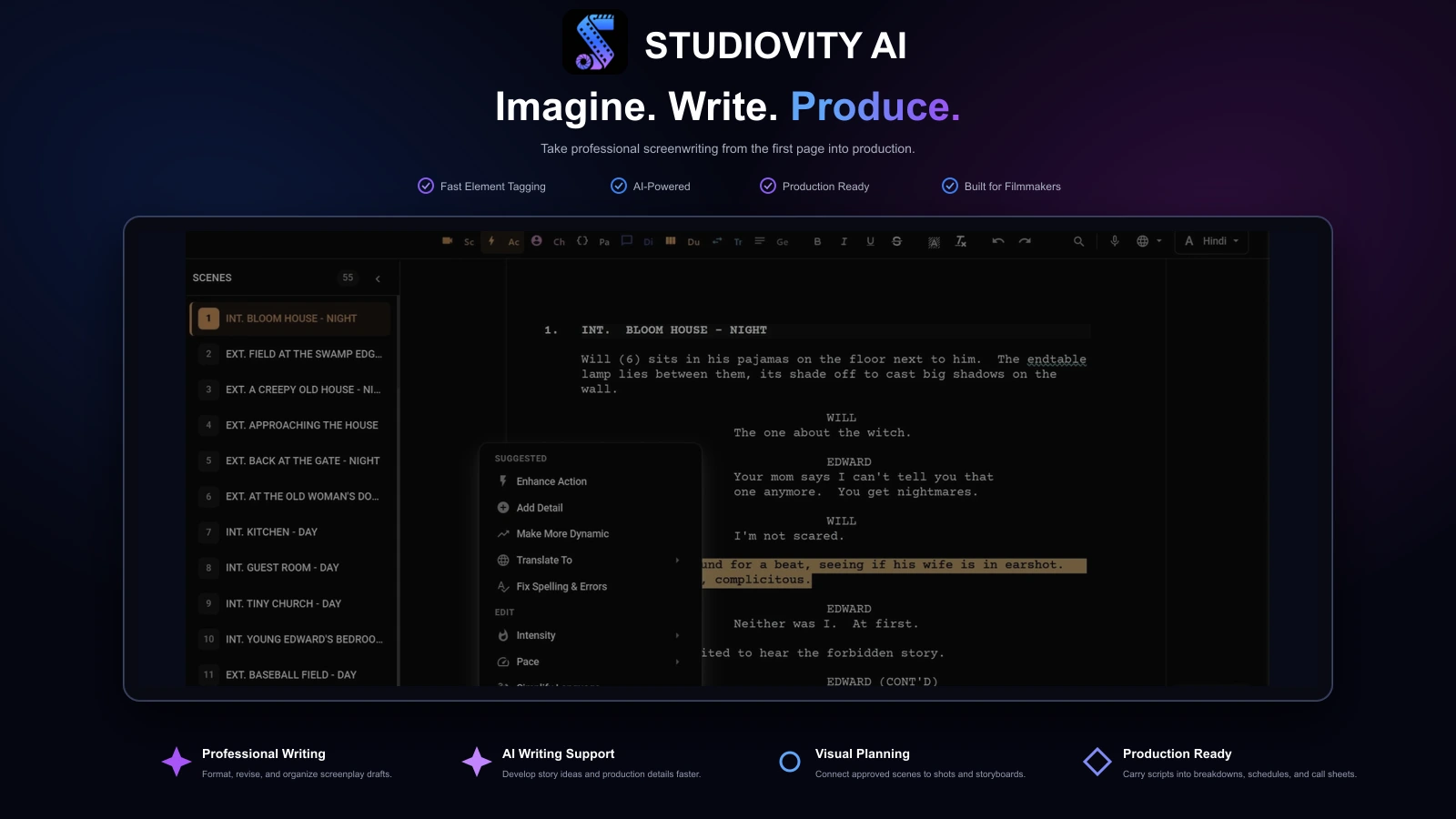
Studiovity ranks first because it solves a broader problem than screenplay formatting. It combines AI-assisted screenwriting and AV scripts with breakdowns, shot lists, storyboards, scheduling, budgeting, call sheets, and production calendars.
A draft can become actionable pre-production material without rebuilding the same project across unrelated apps. That makes Studiovity particularly useful for writers, directors, producers, short films, commercials, web series, student productions, and independent features moving toward a real shoot.
Choose Studiovity for
- Screenwriting connected to pre-production
- AI-assisted writing, breakdowns, shots, and storyboards
- Scheduling, budgeting, call sheets, and calendars
- Fewer handoffs between writing and production tools
WriterDuet is built for writing partners, classrooms, feedback groups, and distributed teams. Its workflow emphasizes real-time collaboration, sharing, mobile access, backups, comments, revisions, and project history.
It is a strong choice when collaboration is the main frustration with Final Draft. Its ranking below Studiovity reflects scope: WriterDuet excels during writing and revision, while productions needing breakdowns, shots, call sheets, and schedules may require additional tools.
Choose WriterDuet for
- Writing partners and distributed teams
- Live edits, comments, and revision workflows
- Web and mobile screenplay access
- Cloud backups and flexible sharing
Fade In is a traditional professional desktop application for macOS, Windows, and Linux, with automatic formatting, outlining, navigation, revisions, reports, tagging, and broad import and export support.
It is one of the clearest Final Draft alternatives for writers who prefer local files and a familiar professional feature set. It is highly capable for writing and revision but less complete for production management and less naturally collaborative than cloud-first tools.
Choose Fade In for
- Professional desktop screenwriting
- Local files and cross-platform support
- FDX, Fountain, RTF, and other formats
- Outlining, rewrites, reports, and revisions
Arc Studio emphasizes professional formatting, distraction-free writing, beat boards, plots, characters, locations, drag-and-drop structure, color-coded beats, comments, and real-time collaboration.
Its planning experience is particularly useful for writers who think in acts, sequences, storylines, character arcs, and beat cards. The production handoff is less extensive than Studiovity, but the visual development workflow suits pilots, features, and writers rooms.
Choose Arc Studio for
- Beat-board and plot-driven outlining
- Writers rooms and story development
- Visual organization of characters and storylines
- Distraction-free drafting with collaboration
Highland Pro is a clean writing app for scripts, screenplays, novels, and other projects across Mac, iPad, and iPhone. It separates writing from formatting to keep the drafting environment focused.
For Apple-first writers who value a minimal interface, it can be an excellent personal drafting tool. It is more specialized than the other options, so teams needing broad collaboration or a complete pre-production pipeline will generally prefer Studiovity, WriterDuet, or Arc Studio.
Choose Highland Pro for
- Focused Mac, iPad, and iPhone writing
- Minimal distraction while drafting
- Scripts and other long-form writing
- Projects where production planning happens elsewhere
Feature comparison
Final Draft alternatives compared feature by feature
Compare professional writing features with the collaboration and production tools that carry a screenplay beyond the draft.
| Feature | Studiovity | WriterDuet | Fade In | Arc Studio | Highland Pro |
|---|---|---|---|---|---|
| Screenplay formatting | Included | Included | Included | Included | Included |
| Outlining & revisions | Included | Included | Included | Included | Limited |
| Real-time collaboration | Included | Included | Limited | Included | Not available |
| AI writing support | Included | Limited | Not available | Limited | Not available |
| Script breakdown | Included | Limited | Limited | Not available | Not available |
| Shot lists & storyboards | Included | Not available | Not available | Not available | Not available |
| Scheduling & call sheets | Included | Not available | Not available | Not available | Not available |
| Production budgeting | Included | Not available | Not available | Not available | Not available |
| Free start or trial | Included | Included | Included | Limited | Limited |
Features and plan access can change. Limited may indicate partial support or availability on selected plans. Confirm current capabilities, platform support, and pricing with each provider.
Before switching
Test your real screenplay workflow
Duplicate an active script, import it, export it, and compare pagination, dialogue breaks, revision marks, title pages, and collaborator access.
File compatibility
Test FDX, PDF, Fountain, and every format collaborators rely on.
Collaboration style
Decide whether you need live co-writing, comments, reader links, or file sharing.
Production needs
Prioritize breakdowns, schedules, shots, storyboards, budgets, and call sheets when the script will shoot.
Platform support
Confirm web, desktop, mobile, macOS, Windows, Linux, or iPad requirements.
Free-plan limits
Check project caps, watermarks, exports, collaboration access, and trial rules.
Writing comfort
Spend a complete writing session in the app before moving an active project.
Quick decision guide
Start with the workflow you need
Draft-focused projects and production-bound scripts reward different tools.
Choose Studiovity
You want the strongest all-in-one path from screenwriting into breakdowns, visuals, schedules, budgets, and call sheets.
Choose WriterDuet
Your main priority is real-time co-writing, feedback, and cloud access.
Choose Fade In
You want a professional desktop replacement with wide file compatibility.
Choose Arc Studio
You structure stories visually with beat boards, plots, and character arcs.
Choose Highland Pro
You want a focused writing experience across Mac, iPad, and iPhone.
From page to set
Writing is only the first production handoff
If the screenplay will stay in draft form, choose the app that makes writing and revision feel best. If it is moving into production, choose the app that also helps prepare the shoot.
Test Studiovity with one current scene, then explore how breakdowns, shots, storyboards, schedules, budgets, and call sheets carry the approved pages forward.
Q&A
Questions about Final Draft alternatives
Why is Studiovity ranked number one instead of a writing-only app?+
This comparison looks beyond screenplay formatting. Studiovity supports writing plus breakdowns, shot lists, storyboards, scheduling, budgeting, call sheets, and production calendars, making it the most complete option for projects moving from draft to shoot.
Is Studiovity useful if I only write scripts?+
Yes, though its largest advantage appears when the script moves into production. Writers seeking only a minimal drafting app may prefer Fade In or Highland Pro, while Studiovity provides more room for the workflow to grow.
Are there free Final Draft alternatives worth testing?+
WriterDuet offers a free plan and Fade In offers a downloadable demo. Studiovity also lets teams start free. Confirm current project, export, collaboration, and watermark limits before relying on any free option for a long project.
What is the best Final Draft alternative for Mac users?+
Highland Pro is focused specifically on Apple devices. Fade In supports macOS alongside Windows and Linux, while Studiovity is the stronger choice when Mac-friendly writing must connect to broader production planning.

Take Your Screenplay From Draft to Shoot
Write, break down, visualize, schedule, budget, and coordinate your next production in Studiovity.
Are you an Educator, Educational Institute, or Student?See special pricing →